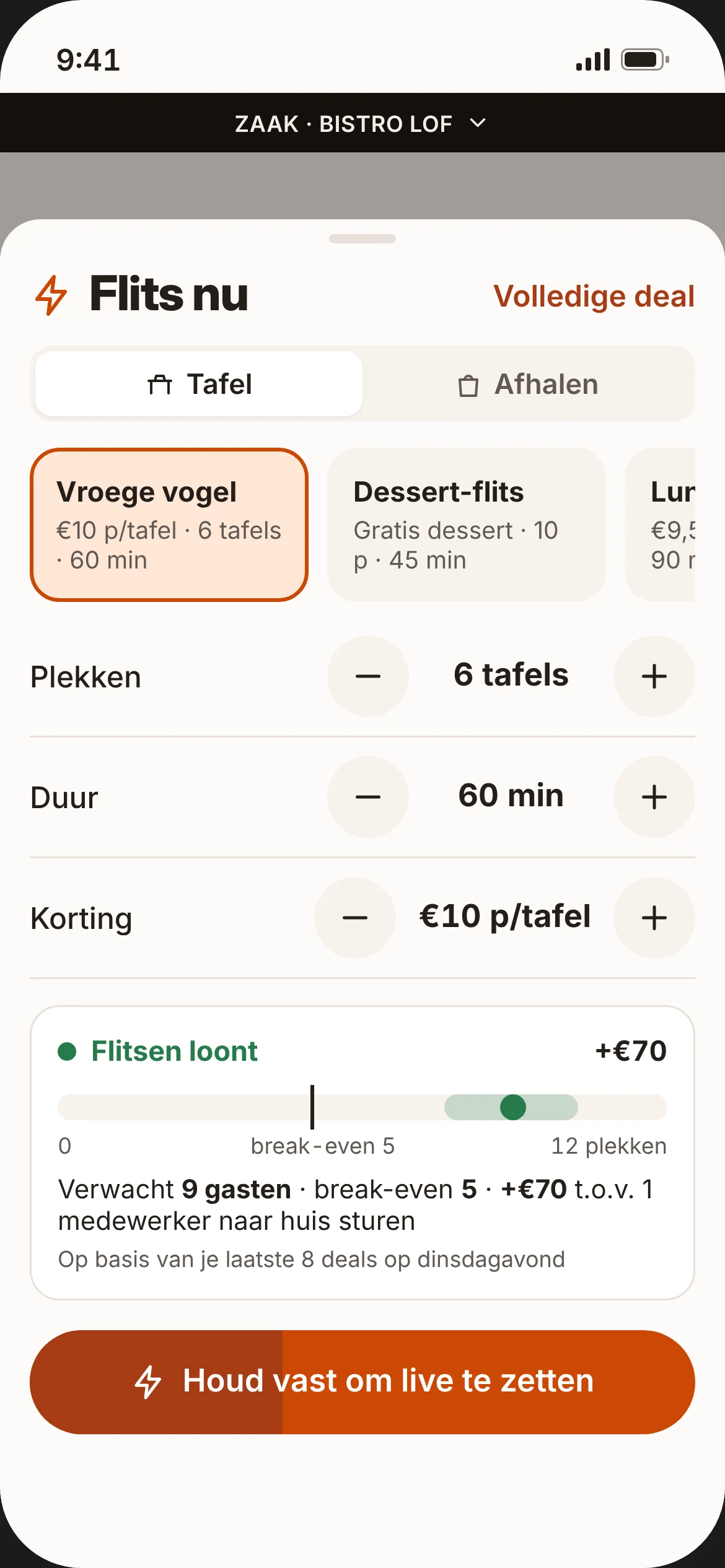
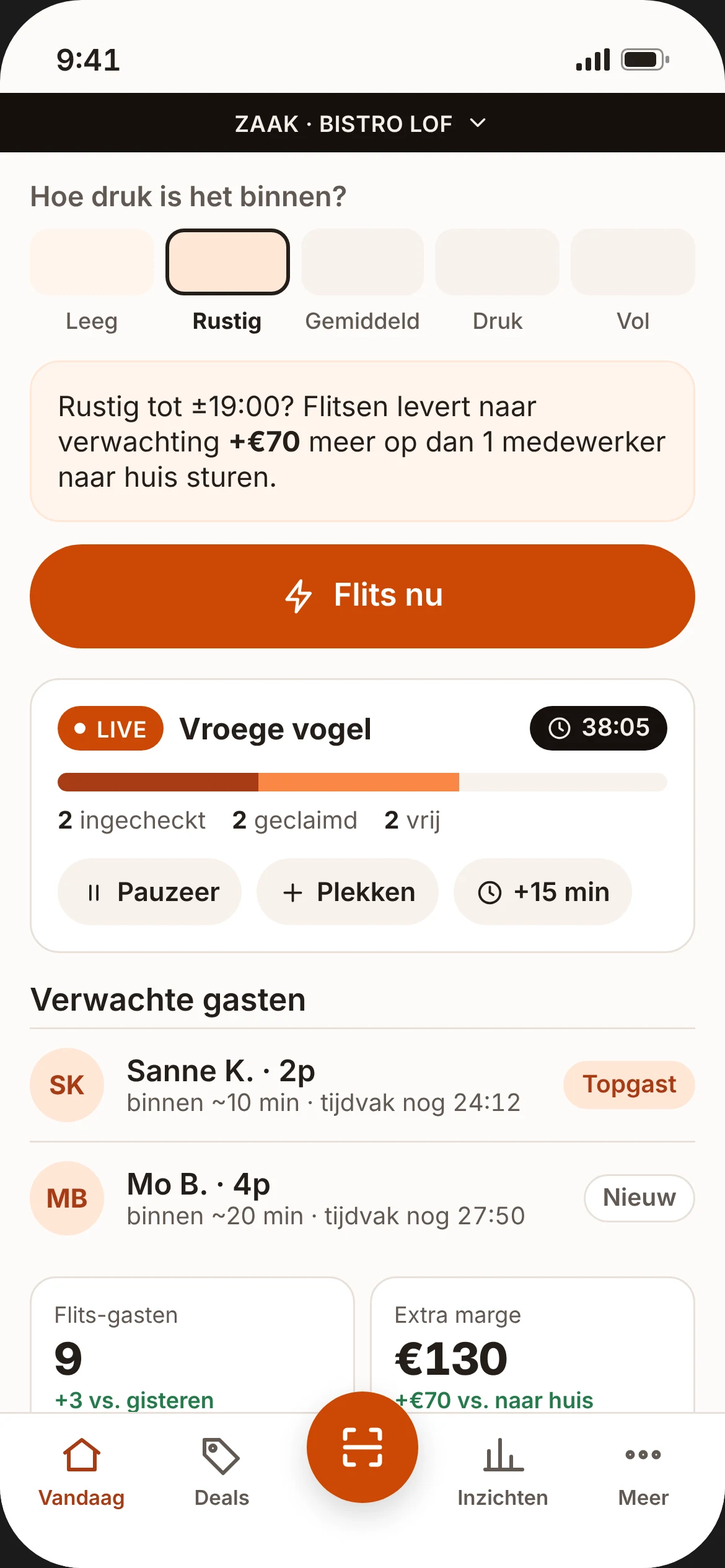
Every quiet hour earns more than it costs.
Empty tables at 5pm? Put a deal live in 15 seconds and people nearby get a heads-up straight away. Fixed monthly fee, no commission: every extra guest is yours.
- Free for 30 days
- no commission
- no set-up fees
- cancel monthly
Scan with your iPhone camera. You sign up in the app: Profile → Sign up your business.
Quiet? Then you have three options.
It's Tuesday, 17:00. Your place is half empty and your staff are ready to go. What do you do?
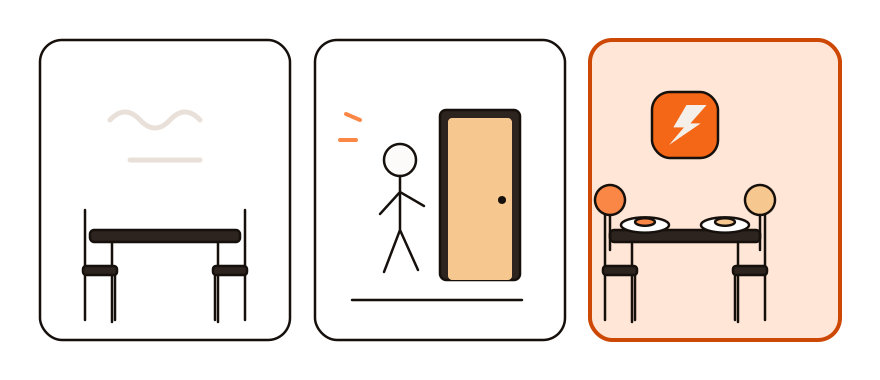
1. Do nothing
You pay staff to wait, your stock ends up in the bin and your fixed costs keep running.
2. Send staff home
On the day itself, that saves you next to nothing:
- If you cancel an on-call worker within 24 hours (the call-off period in the hospitality CAO, the collective labour agreement), they still get paid for the scheduled hours.
- If no hours were agreed, you pay at least 3 hours' wages per call.
- You pay the guaranteed hours of permanent and min-max staff either way. Sending them home early only gives you negative hours for later.
3. Flash a deal
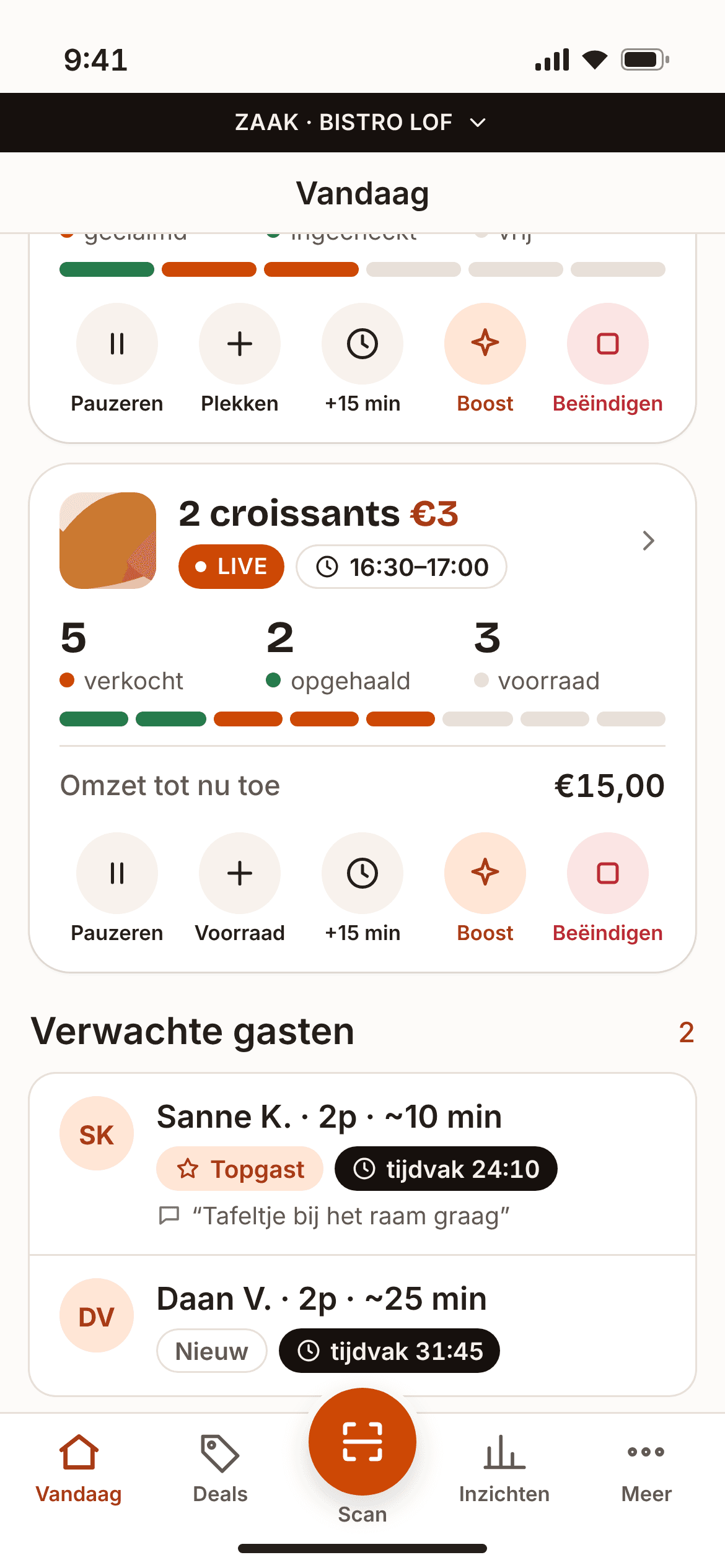
In 15 seconds your table deal is live for people who are nearby right now. The team you're already paying fills the empty tables. Food left over? Sell it with a takeaway deal, no extra staff needed.
We calculate what it really earns
A deal goes live when it's quiet. Your staff are already on the rota by then, so wages don't count. For every table deal, the decision helper in Flits works out the expected extra profit: the extra revenue minus your food cost and the discount. Guests who would have come anyway only cost you the discount.
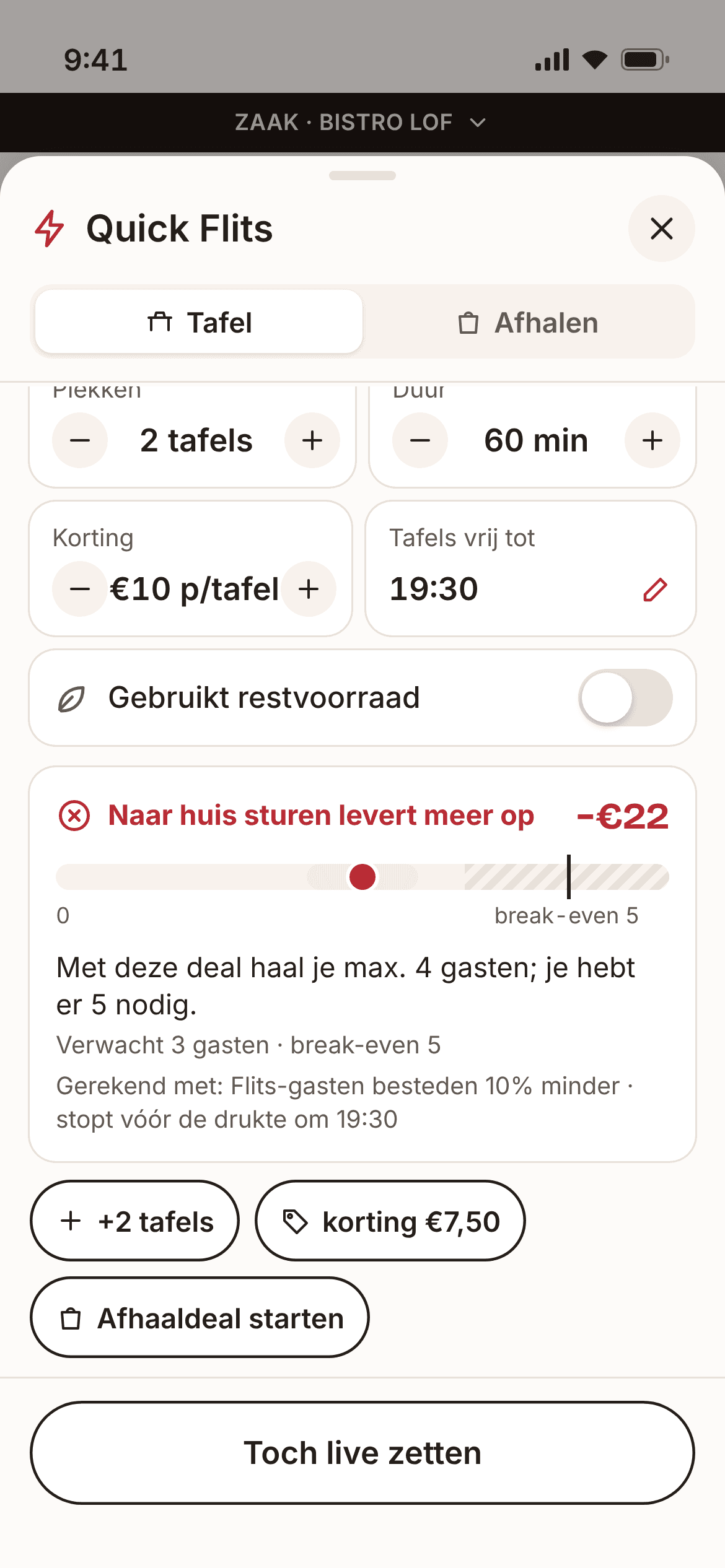
Would a deal earn too little? The app warns you before you put it live, with a suggestion: more seats, a smaller discount, or a takeaway deal.
This is an explanation, not legal advice. Check your own CAO for your situation.
Everything you need to turn quiet hours into revenue
Quick Flits
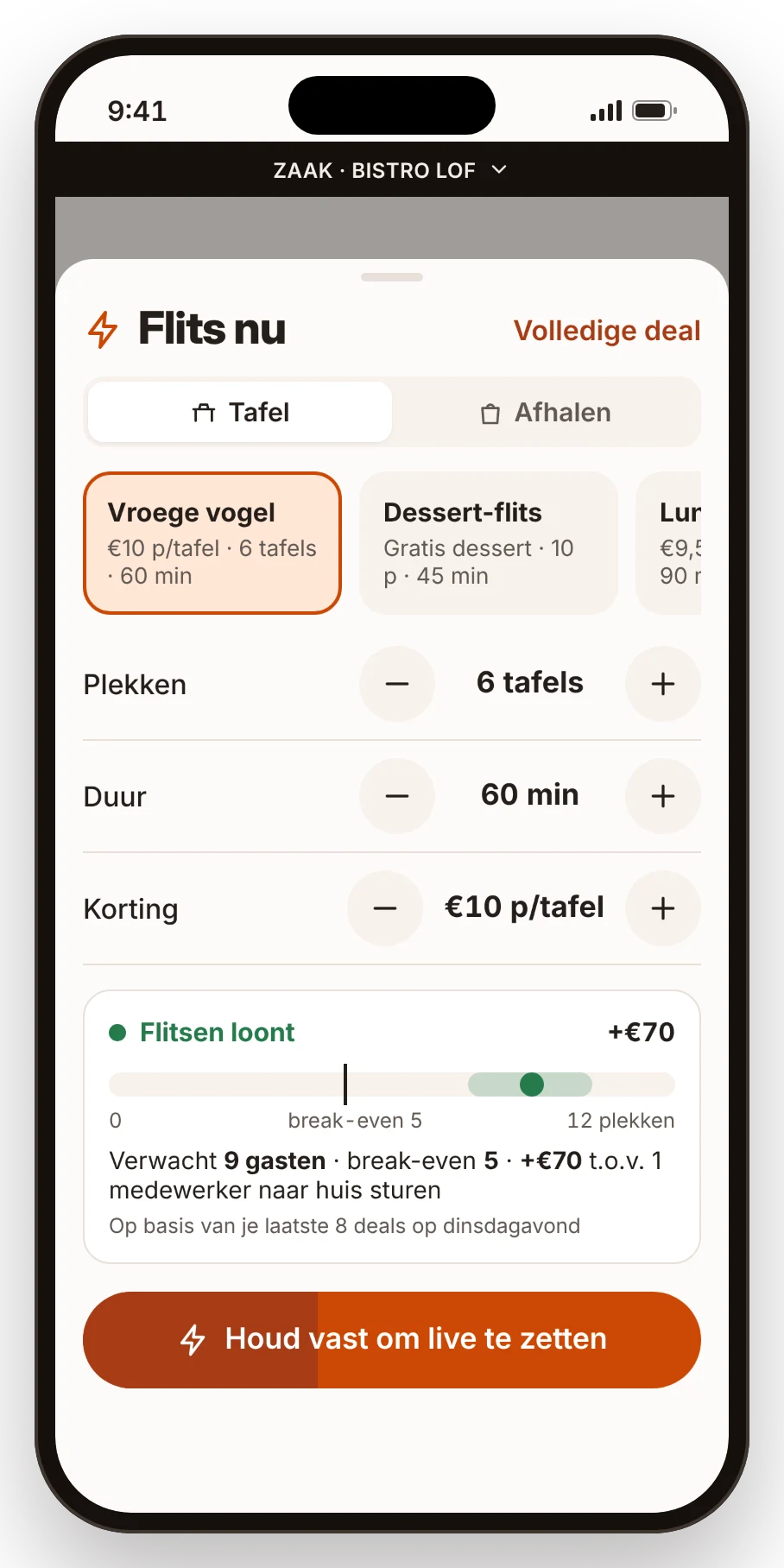
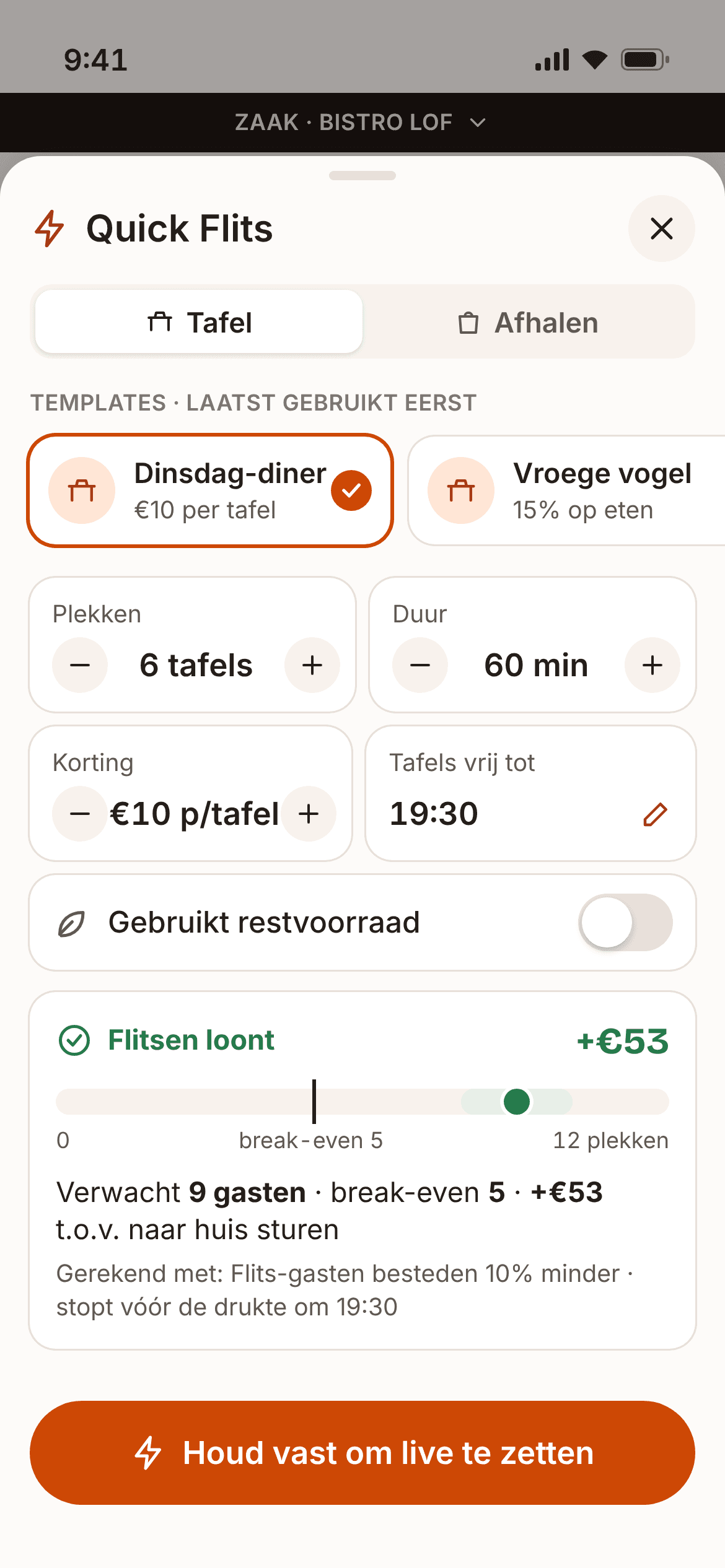
Quiet? Pick a template, adjust seats, duration or discount, and hold the button. Your deal is live in 15 seconds, even with a plate in your other hand.
Decision helper
For every table deal you see in advance how many guests to expect, from how many guests the deal turns green, and what it's expected to earn you extra. Green, orange or red, with concrete suggestions. On every plan.
Table deals
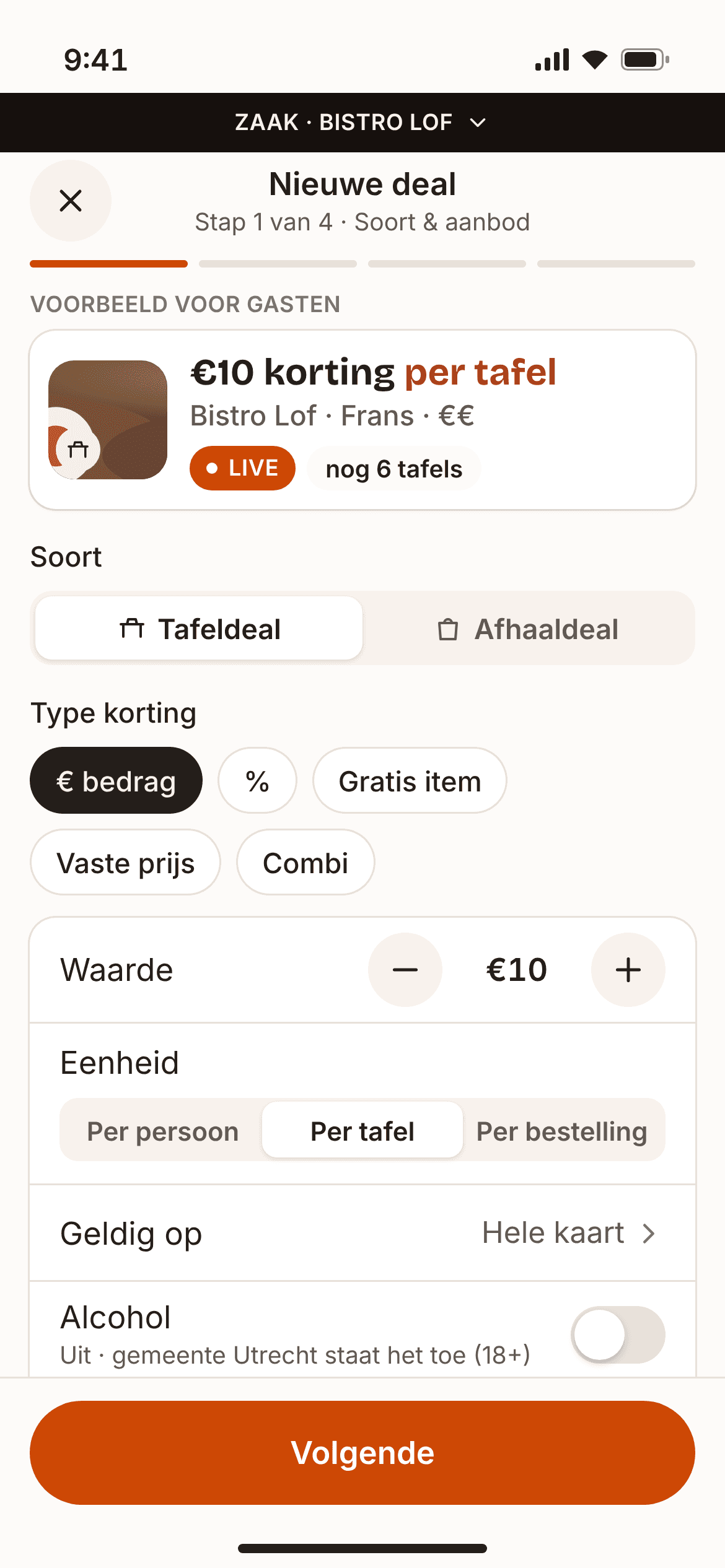
A discount for guests who eat or drink in: a fixed amount, a percentage, a free item, a set price or a combo. You choose the number of seats, the arrival window and until when the tables are free. Guests simply pay you, with the discount on the bill.
Takeaway deals
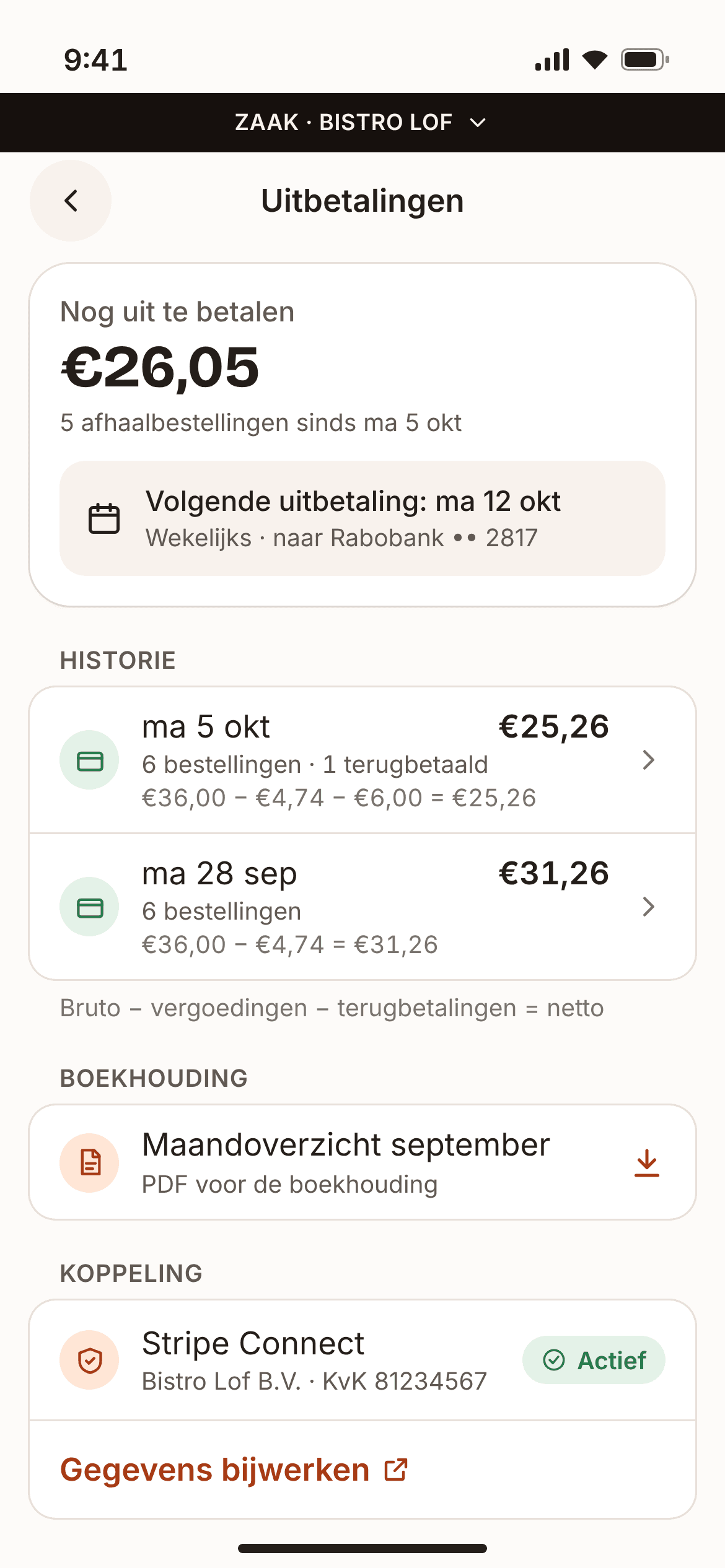
Sell your surplus before closing. Guests pay upfront in the app with Apple Pay, iDEAL | Wero or card, and collect in the window you choose. You're paid out every week via Stripe, minus €0.79 per order. Not collected? You still receive the amount.
Guests who show up
Every guest has one verified mobile number and a maximum of 1 active table claim at a time. No-shows get a strike and lower priority. For expected guests you see "Top guest" or "New".
Scanning
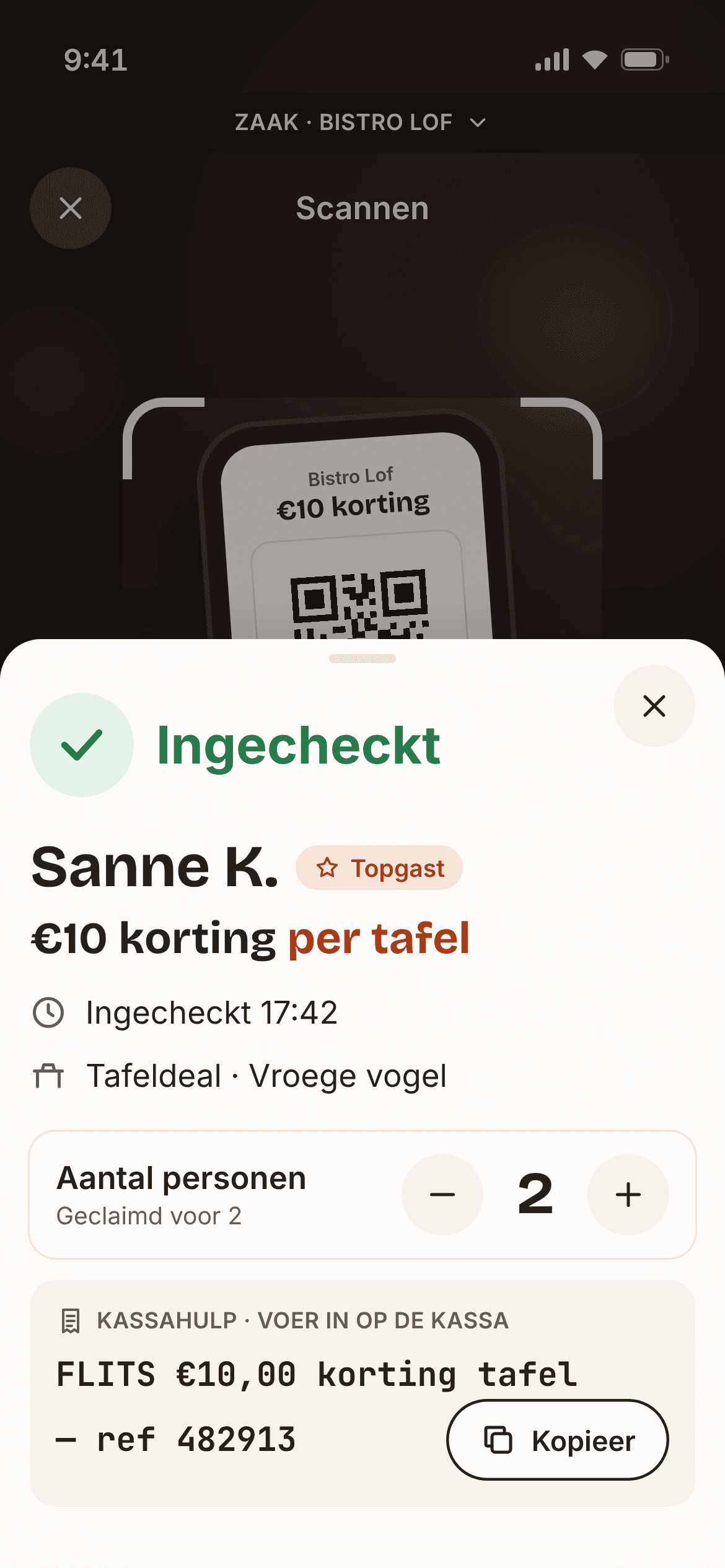
Scan the guest's code or type it in. You see straight away what to do, including the exact discount line for your till. On an iPad, switch on counter mode: the scanner is always on, with your live deals and takeaway list beside it. No internet? The scanner keeps working.
Insights and ROI
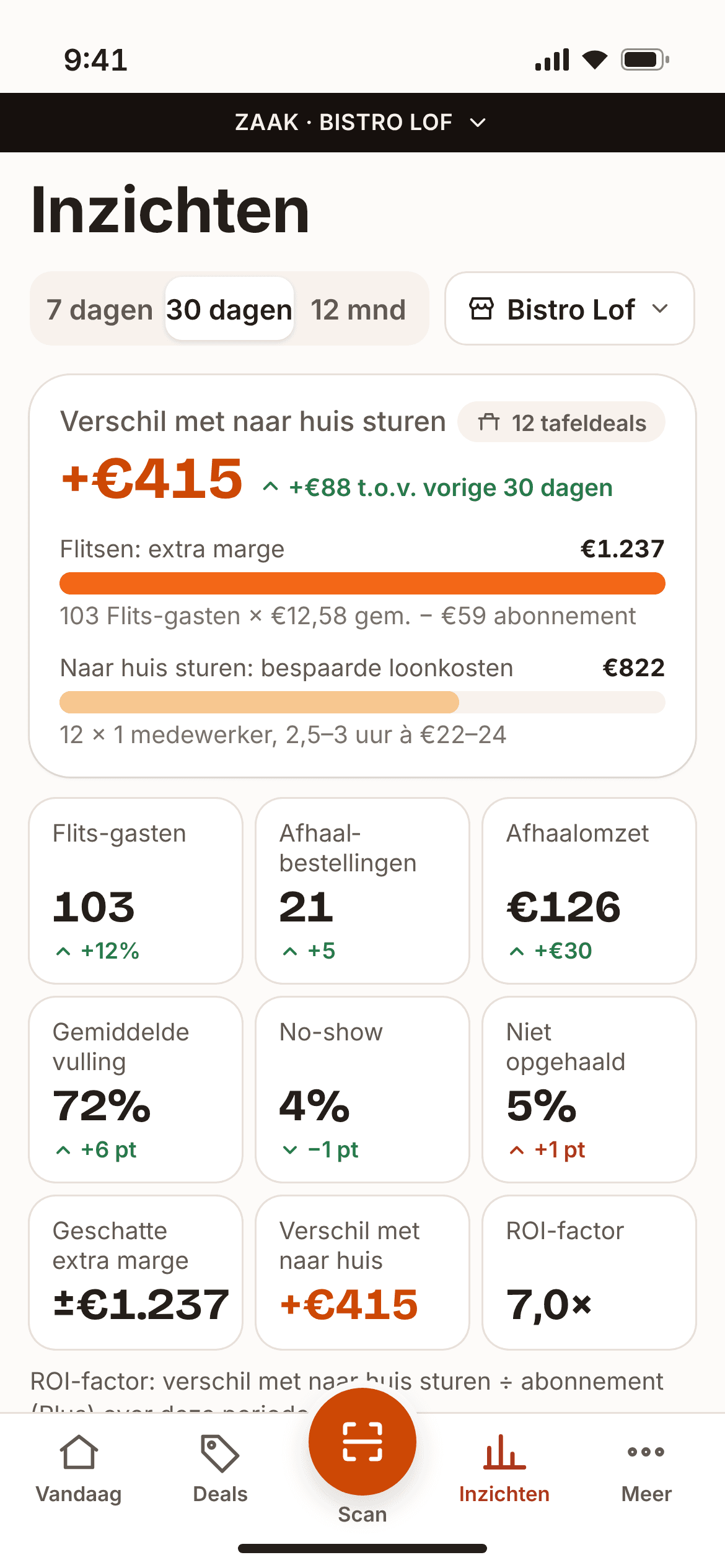
After every deal you see the actual result: guests and extra profit. Every month you read: "Flashing deals earned you €X extra profit", and how many times over that paid for your subscription. A monthly report lands in your inbox.
Autopilot
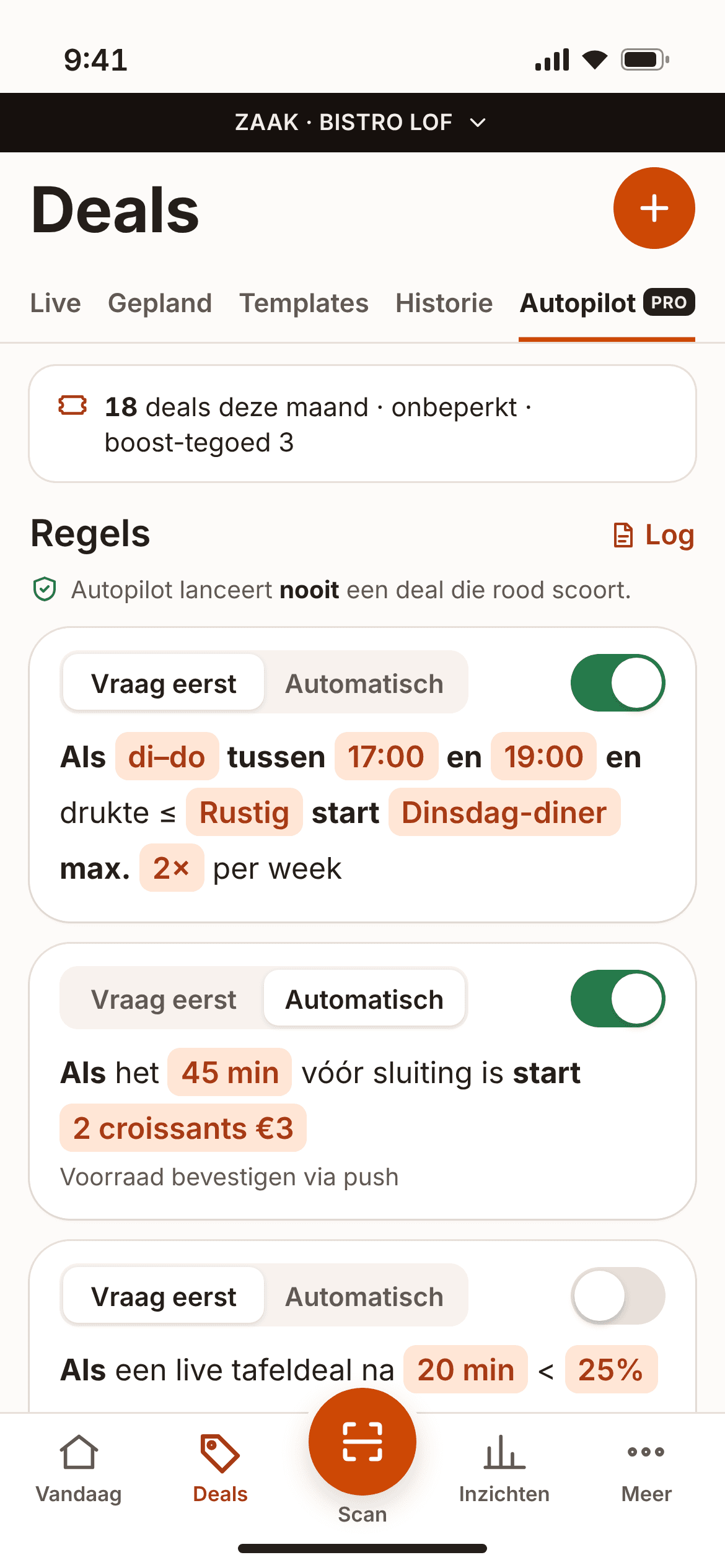
Rules in plain language, such as "If it's quiet on Tuesday between 17:00 and 19:00, start 'Tuesday dinner'." Choose Ask first or Automatic. Autopilot never puts a deal live that scores red in the decision helper. On Pro.
Teams
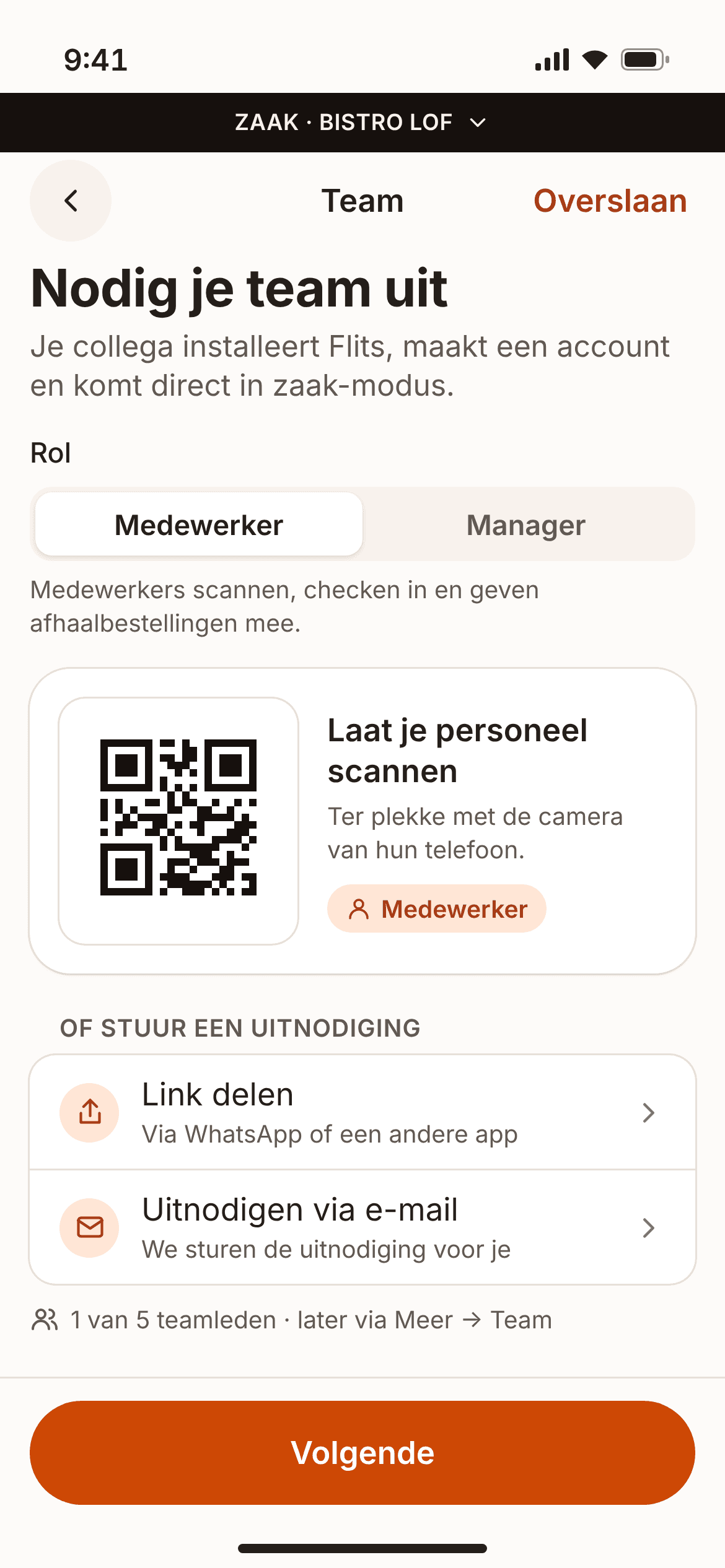
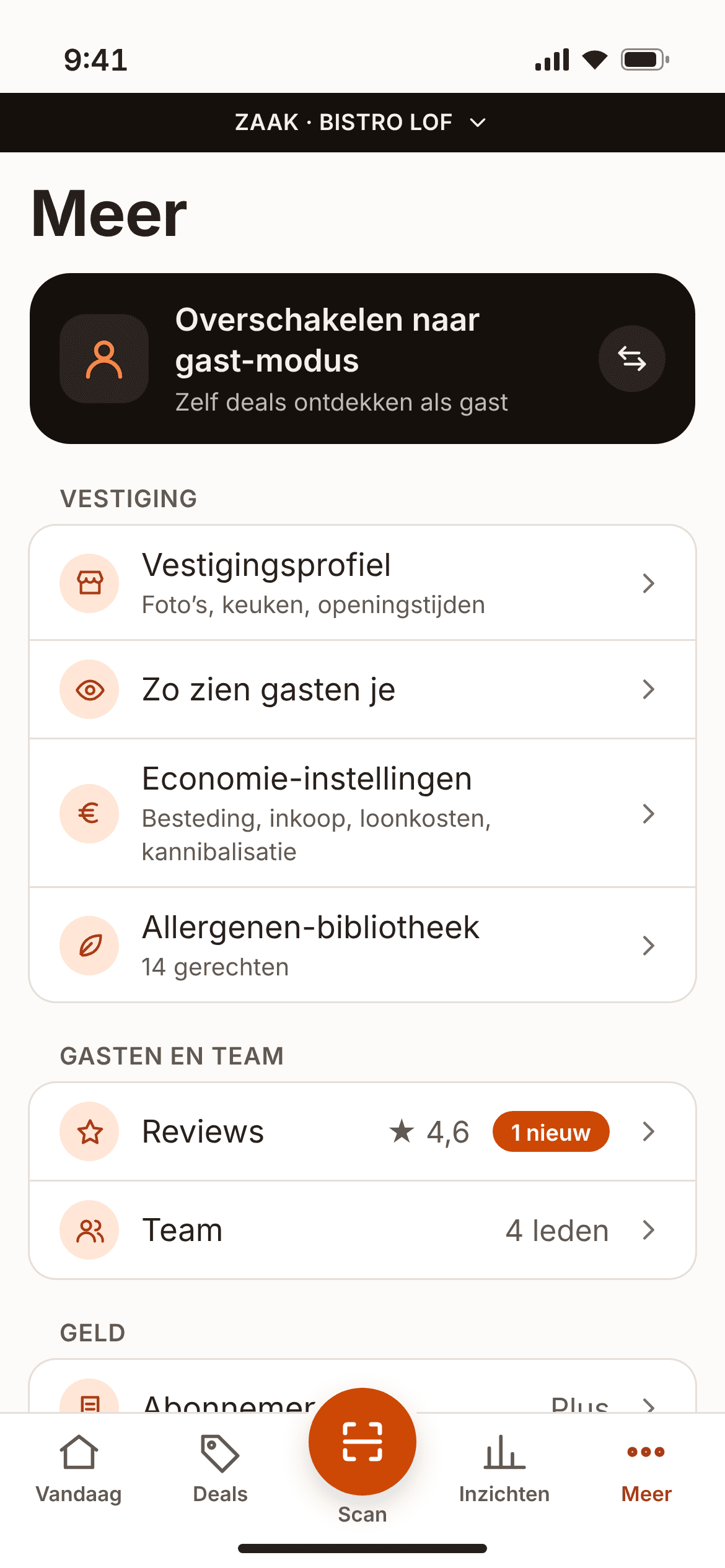
Invite your team with a link, email or QR code and give everyone a role: owner, manager or staff. With multiple locations you switch with one tap and compare them in the group dashboard.
All in the same app as your guests
No separate system, no extra login. You run your business in Flits, the same app your guests use. Lock a shared device in business mode with a PIN.




















What does flashing a deal earn you?
Enter your own figures. You'll see straight away what a deal is expected to earn you extra, and from how many guests it turns green.
What a guest spends with you on average on food and drink, excluding VAT.
Discount per table? Divide by the number of people. Amount incl. 9% VAT? Divide by 1.09. Example: €10 per table of 2 = €5 per person = €4.59 excl. VAT.
The maximum number of people this deal can seat. 6 tables of 2 = 12 seats.
The share of your seats you expect to fill. In the app this is the average of your last 10 similar deals, or your city's average. Without history we use 50%.
Result
Flashing a deal pays off
Expected extra profit
+€81
Up to +€162 when full
Expected +€81 extra profit (with 6 guests). Up to +€162 when full.
- Extra profit per Flits guest
- +€13.50
- What one Flits guest earns you extra on average after food cost, discount and cannibalisation, excl. VAT.
- Expected
- 6 guests
- 50% of 12 seats.
- Green from
- 2 guests
- The number of Flits guests you need for at least €25 extra profit.
Calculated with: deal guests spend 5% less · ends before your busy period
An estimate. We calculate cautiously: by default deal guests spend 5% less, some of them would have come anyway, and the deal ends before your busy period. Wages don't count: your staff are already on the rota at that moment.
Become a Founding Partner in Nijmegen
The first 100 locations in each city get 50% off for 6 months and a Founding Partner badge in the app.
100 of 100 spots still available in Nijmegen.
100 / 100
Questions from business owners
How quickly can I go live?
You sign up in the app: find your business, enter your KvK (Dutch Chamber of Commerce) number and verify your location. If your business has its own website, you get a code at your business email address (for example info@yourbusiness.nl) and you're verified straight away. Otherwise you take a photo of your shopfront with a code in the app; we check it within 4 working hours, and within 1 working day at the latest. In the meantime you can set up your profile and schedule deals. Once verified, you put a deal live in 15 seconds.
What if nobody comes?
Then you pay nothing extra: we don't charge commission. The deal does count towards the number of deals in your plan. Beforehand, the decision helper shows how many guests you can expect, based on your own previous deals or the average in your city. On Plus and Pro, a second notification wave goes out automatically if your deal is less than half full after a third of its run time. You can always pause or end a deal.
What if too many people come?
That can't happen: you set the number of tables or seats. Once the deal is full, nobody else can claim. Guests can have at most 1 table claim at a time, and the group size may differ by no more than 1 person. If you pause or end a deal, existing claims stay valid. Everyone who checks in within the window gets the discount.
What do I do at the till?
Scan the guest's code with Flits, or type it in. For a table deal, the app shows the exact discount line for your till, for example "FLITS €10.00 table discount — ref 482913", with a copy button. A takeaway order has already been paid through Flits: don't ring it up as a new sale, record it as a Flits sale. The amount for your end-of-day report is shown with it.
How do payouts work?
Takeaway payments go into your own Stripe account. Stripe pays out every week, on Monday, minus €0.79 per order. A refund after a justified complaint is deducted from your next payout. In the app you see every payout broken down per order, and you can download a monthly statement (PDF) for your bookkeeping. Table deals don't go through Flits: those guests simply pay you.
Who is responsible for allergens?
You are, just as with your regular sales. The 14 EU allergens are mandatory for every takeaway deal ("contains" or "may contain"). For a surprise bag you enter all possible allergens. Guests always see them before they buy. You confirm the allergens for every deal, and with the allergen library you only need to enter them once per product.
Can I cancel?
Yes, monthly. The link to your Stripe customer portal is in every invoice email. Your subscription runs until the end of the current period. There are no set-up fees.
Can I offer discounts on alcohol?
That depends on your municipality. Municipalities may restrict or ban price promotions on alcohol in hospitality; Amsterdam, for example, bans them. There, a discount on the whole bill automatically becomes "excl. alcohol". In other municipalities alcohol may be part of a table deal, but never an alcohol-only deal with more than 25% off, and never "unlimited drinks". Guests confirm they are 18+, and the ticket says "ID may be requested". Age checks remain your responsibility. Takeaway deals never include alcohol.
Who can see my data?
Guests see your business profile and your deals. Your financial figures (spend, food cost, cannibalisation) are visible only to the owner or manager, and payouts only to the owner. From guests, you only get what you need to honour the deal: first name and initial, group size or quantity, an optional note, the reliability label, the expected arrival time and the order number. We never share guests' phone numbers or locations. In your insights, guests are anonymised. Read more in our privacy policy.
Why don't I pay in the app?
Your subscription is a business agreement. You arrange it through a secure Stripe link in your email, with iDEAL and direct debit. The same goes for boosts and extra deals: you buy them through the link in your email or via your City Lead, and they appear as credit in the app.
Try Flits free for 30 days
Sign up your business in the app and put your first deal live today. No commission, no set-up fees. Rather talk first? A City Lead will call you back within 1 working day.
Scan with your iPhone camera.
From €29 pm excl. VAT, per location · no set-up fees · cancel monthly